Student Enrolment
Expression of Interest


expression of interest form
At The Younity School, our mission is to assist students who find traditional educational settings challenging. While our goal is to accommodate every student, please note that we have certain capacity constraints.
This EOI should be completed after you have confirmed your eligibility for enrolment with The Younity School. You can find out more information and take the quiz here.
When you submit, our Enrolments Team will review your Expression of Interest and be in touch to talk it through.
Please click here to access the EOI form.
If your EOI moves to an Enrolment Application and Interview, we will invite you to submit further information and to meet with the Head of School and the Enrolments Team at the school. We will email you beforehand with everything we need you to bring, including ID, school reports and learning plans, health documents and a professional referral.
A professional referral is a required part of an enrolment at The Younity School. It can come from a guidance officer, the student's current school, a health professional, a community organisation or a referring agency. These can take a few weeks to organise, so it may be worth starting that conversation now.
A professional referral is a required part of an enrolment at The Younity School. It can come from a guidance officer, the student's current school, a health professional, a community organisation or a referring agency. These can take a few weeks to organise, so it may be worth starting that conversation now.
Places at The Younity School are limited and we receive more interest than we can accommodate, so not every Expression of Interest will lead to an interview or placement offer. If we are not able to offer a place, we will talk with you about other options and support you to work out next steps. You can find more information about our enrolment plan here.
Our Enrolment and Student Information Portal
The Younity School uses Compass Education as our Student Information platform.
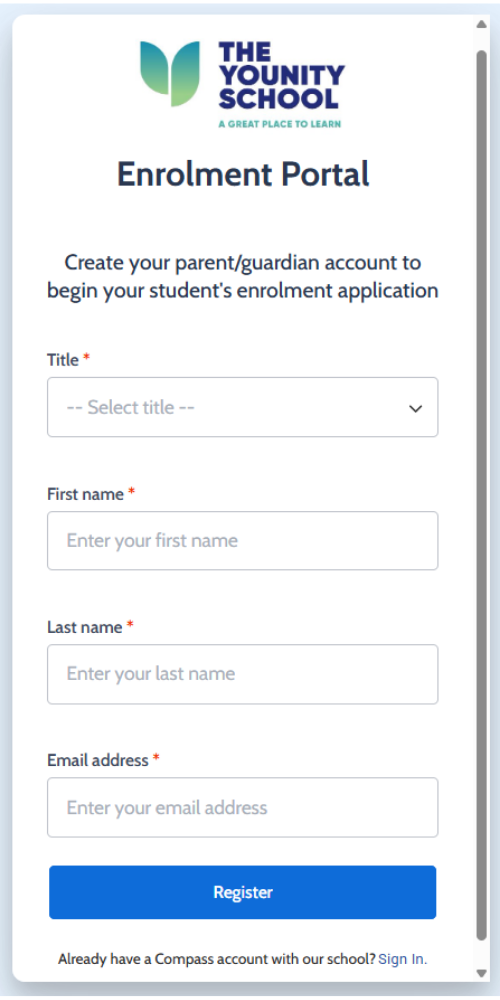
Parents will create a user account that will take them from their EOI right through to a Parent Lounge when students are enrolled. You can access your account at any time through the Compass Login button at the top of our website. If you already have an account, you can go straight to the Sign In link at the bottom of the form.
Submitting your EOI
You use this link to access the Enrolment Portal.
From here, you will:
1. Create your parent account
2. Create the Student Profile, on the left-hand side.
3. Create an Enrolment EOI.
From here, you will:
1. Create your parent account
2. Create the Student Profile, on the left-hand side.
3. Create an Enrolment EOI.
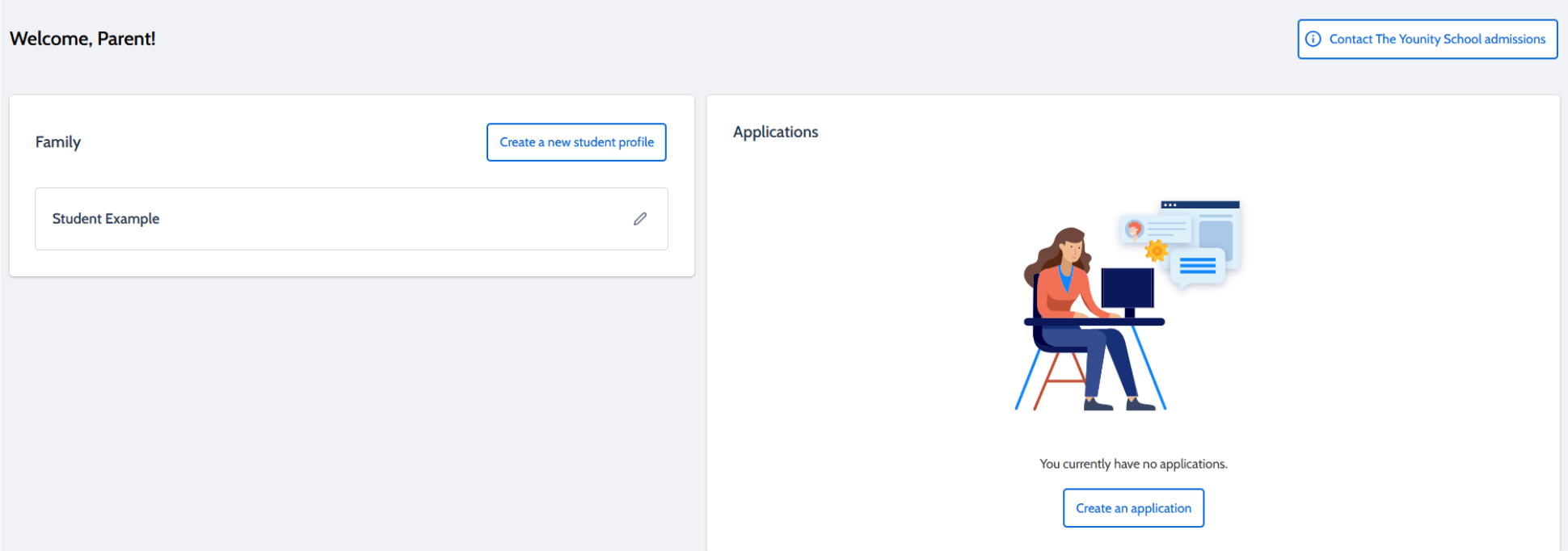
You can pause the process at any time. Compass will update your information and it will be there when you log in again (but remember to save!!) As you move through the application pathway, you can simply load additional information and documentation as required.
After you submit your EOI, you will receive a confirmation email and you can download your application if you want. (Check your junk box if you can't find it.)
After you submit your EOI, you will receive a confirmation email and you can download your application if you want. (Check your junk box if you can't find it.)


